
Why Did My Football Prediction Change? Compare Two Software Updates
Quick Answer
Compare football software updates using timestamps and market labels, with an original Scotland–Slovenia recording and supplied 1–2 result image.

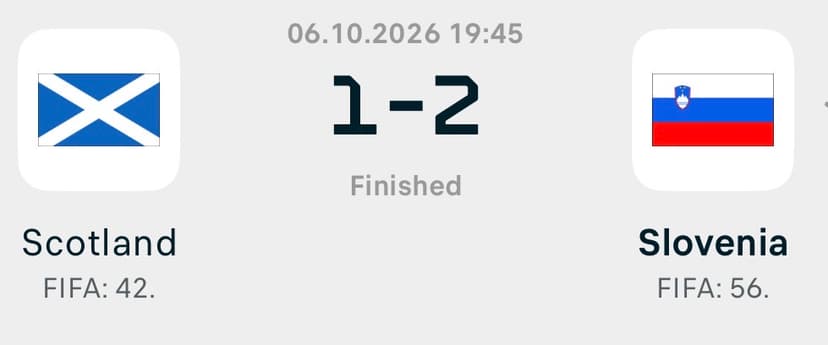
Owner-supplied Scotland–Slovenia result image. The accompanying recording is a single-output example, not a before-and-after comparison.
A football prediction can change when its inputs or settings change. To understand a different scoreline or percentage, compare two saved outputs for the same fixture and market. A change alone does not tell you whether the newer forecast is better, or whether the software has incorporated team news.
With the Premier League scheduled to return on 10 October, this is a practical time to establish how you record updated forecasts. For fixture preparation, see our club-football return checklist. Here, the focus is what to do when two outputs disagree.
First, confirm you are comparing the same thing
Check the team order, competition, fixture date and market. A home-win estimate is not a correct-score probability. A pre-match forecast should not be compared directly with an in-play output without recording the elapsed time and current score.
Also check the product version and any settings you changed. If the match itself is missing or appears under another category, use the missing-fixture guide before interpreting a replacement entry.
Keep both versions of the output
Save the earlier screen before refreshing. After the update, save another with its capture time. If the application displays a data-update time, record that separately: the time you took a screenshot does not establish when its underlying information changed.
| Record | Earlier output | Later output |
|---|---|---|
| Fixture and market | Copy the full labels | Confirm the same labels |
| Capture time | Include the time zone | Include the time zone |
| Displayed estimate | Copy the exact value | Copy the exact value |
| Data-update time | Record if shown | Record if shown |
| Settings | Note relevant selections | Note anything changed |
This record helps support investigate a question and prevents hindsight from replacing the forecast you actually saw.
A recorded example: Scotland vs Slovenia
The recording opens the Scotland–Slovenia match in the Excel workbook titled “Correct SCORE Football Updated”. Its score table places 1–2 first at 9.38%, followed by 0–2 and 1–3. The supplied finished-match image shows 1–2.
That is a match between the first displayed scoreline and the supplied result. The 9.38% figure is the software’s estimate for that particular score, not a historical success rate.
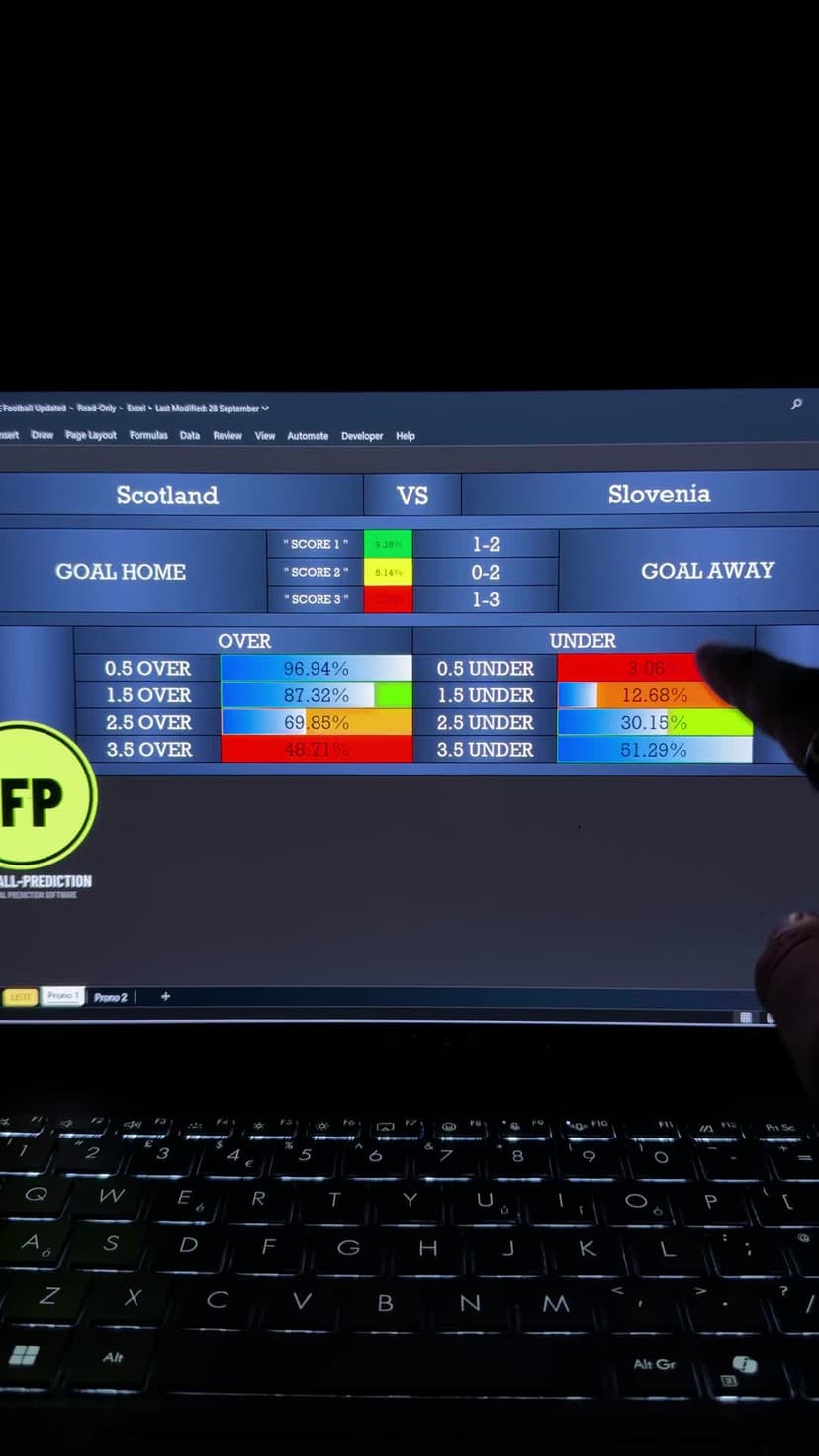
Watch the Scotland–Slovenia software recording — 21 seconds
Visual walkthrough: the recording selects Scotland–Slovenia from the fixture list, opens the three-score table, then shows the workbook’s additional match indicators. The web copy is silent; this description and the scorelines above provide the essential information in text.
These supplied files show one reviewed output and a result image. They do not establish a change between two forecast versions or independently prove when the forecast was first saved before kickoff. For the full comparison, read the original Scotland and Albania article.
Do not guess the cause of a change
A refreshed display does not establish that injuries, confirmed lineups or travel have been processed. That depends on the product's documented inputs. If you cannot identify what changed, describe the difference and ask support about that specific fixture, version and update.
Equally, an unchanged forecast does not prove an update failed. New information might not affect the displayed rounded values, or the relevant inputs might be unchanged. These are possibilities to investigate, not claims about the software's implementation.
Decide which version counts before the result
For a personal evaluation, choose a consistent rule in advance—for example, the last saved pre-match output before a fixed cutoff. This is an example of a recording rule, not a recommendation for when to bet. Keep earlier versions and include unsuccessful forecasts in the record. Selecting whichever version matches the final score would overstate performance.
Compare tools before choosing a workflow: the software guide explains product differences. Review Correct Score Football Software for its listed requirements and features; the recording above shows the Correct Score workbook interface.
The free website model and paid software are separate. The website's track record does not establish paid-software accuracy. Predictions remain uncertain. 18+ only; gamble responsibly.