
Setup & user guide
How to use the Football Software
From your first download to your daily update. Follow the seven illustrated sections below, or jump straight to the help you need.
Windows and desktop Excel
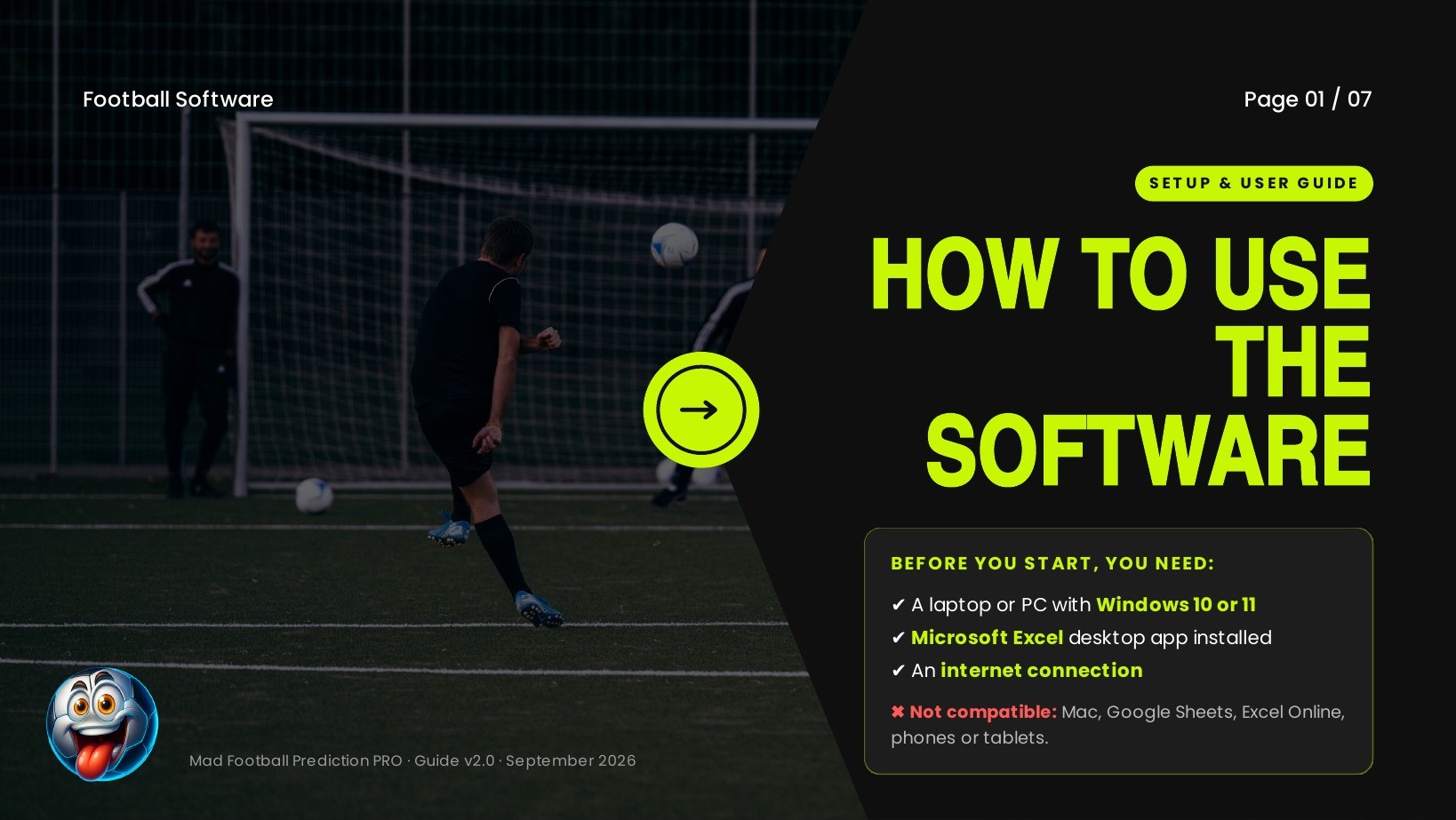
Use a Windows PC with the Microsoft Excel desktop app and an internet connection. These workbook instructions do not apply to Excel Online, Google Sheets, Mac or mobile. The illustrated controls show Mad Football Prediction PRO; other products may look different.
View full-size image for Before you start (opens in a new tab)↗Save your software

Use the delivery link and instructions supplied with your order. Save a backup and keep the original workbook format. Choose a local folder outside OneDrive or other cloud syncing; your Desktop may itself be synced.
Please note: The artwork describes instant delivery and a three-download limit. Delivery timing and download limits follow your actual order instructions; some orders are fulfilled manually.
View full-size image for Download (opens in a new tab)↗Check the file properties
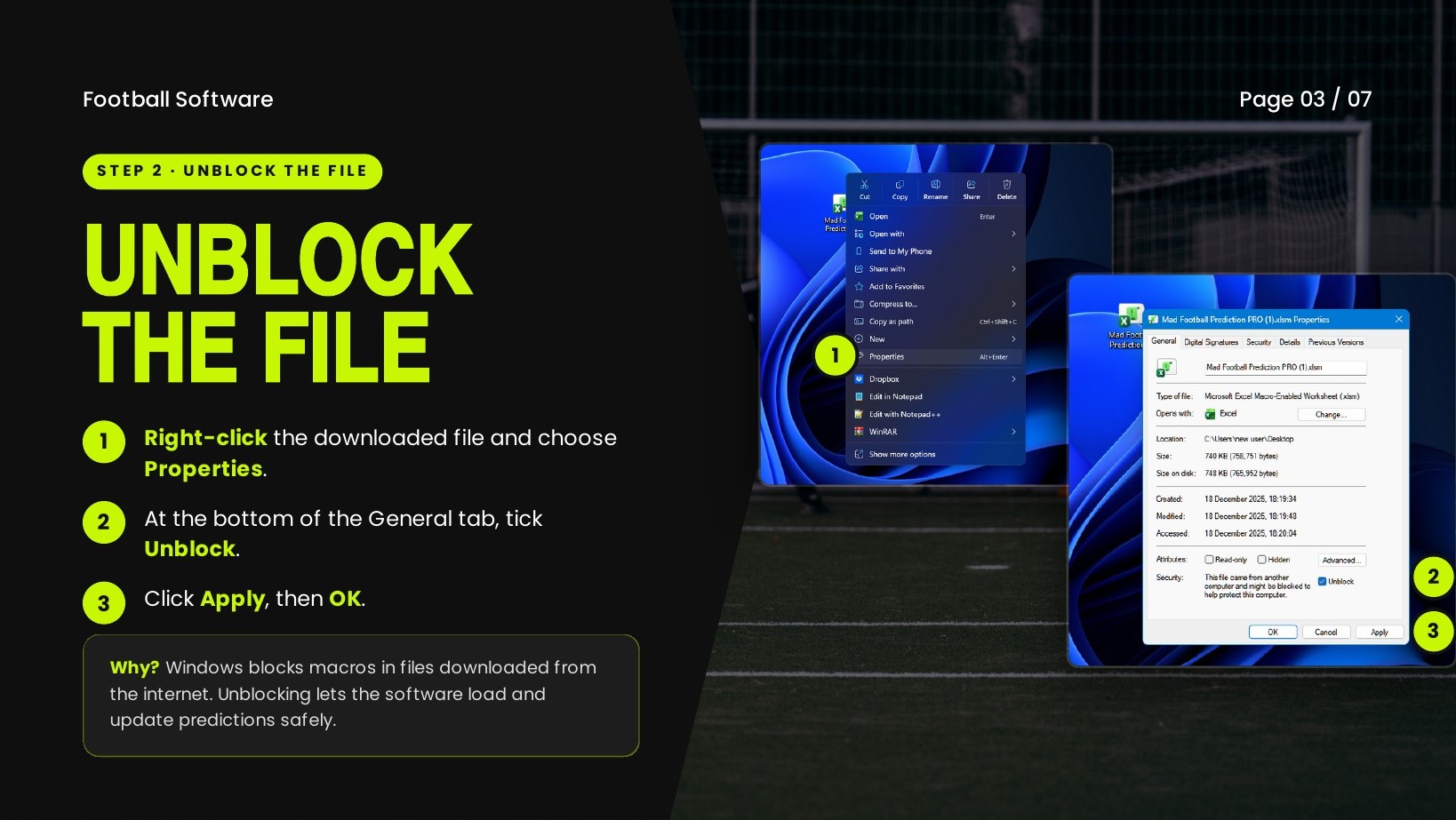
For the workbook received from our official delivery link, close Excel, right-click the file and choose Properties. If Unblock appears on the General tab, select it, then Apply and OK. If it is absent, continue to the next step.
Please note: Unblocking permits active content to run; it does not prove a file is safe. Only proceed with a file whose source you trust.
View full-size image for Unblock (opens in a new tab)↗Open and enable your workbook
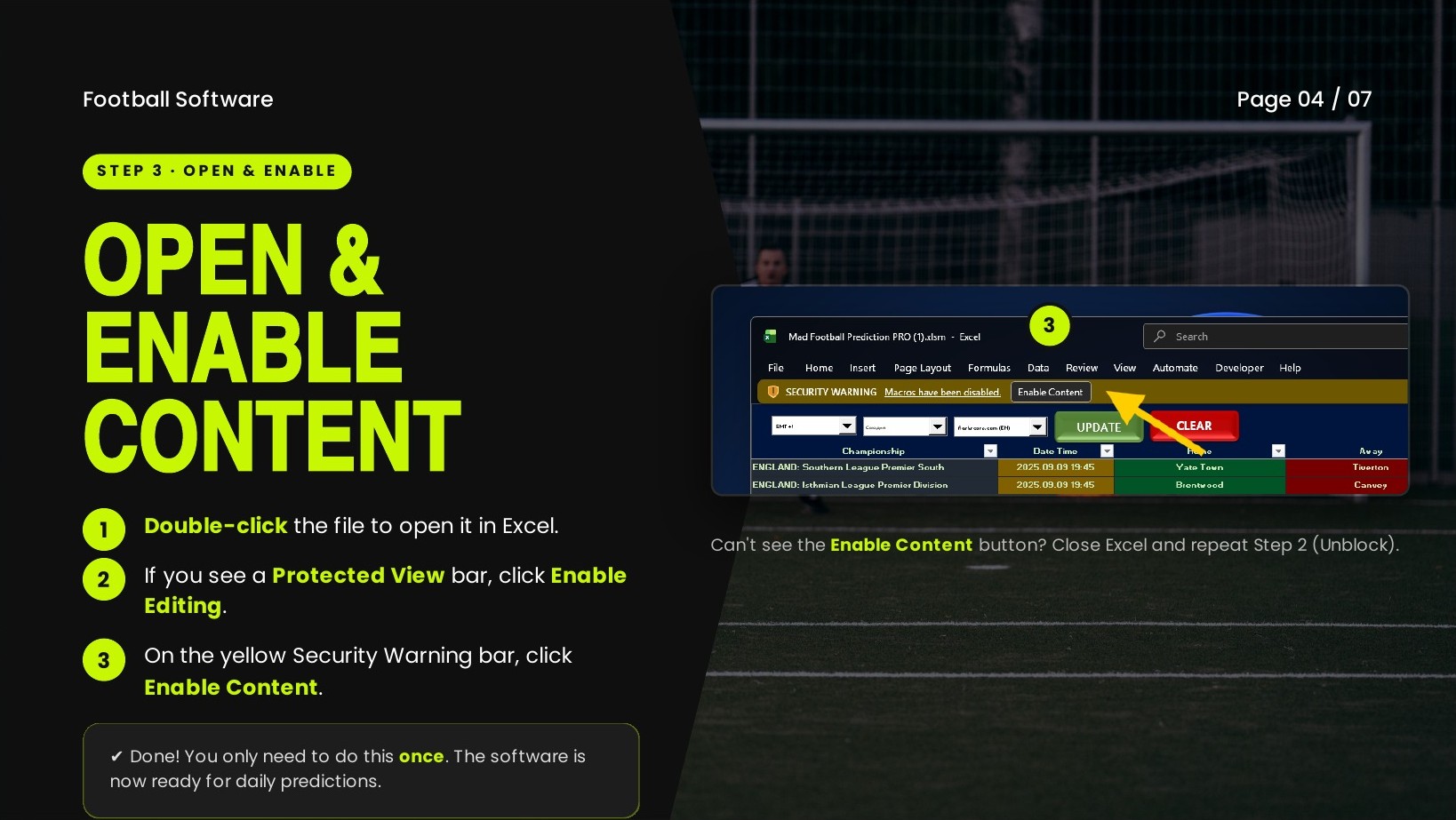
Open the trusted workbook in desktop Excel. If the expected Protected View or macro prompt appears, review it before enabling editing or content. If your organisation blocks macros, contact its administrator or our support team rather than changing global security settings.
View full-size image for Open in Excel (opens in a new tab)↗Load today’s matches
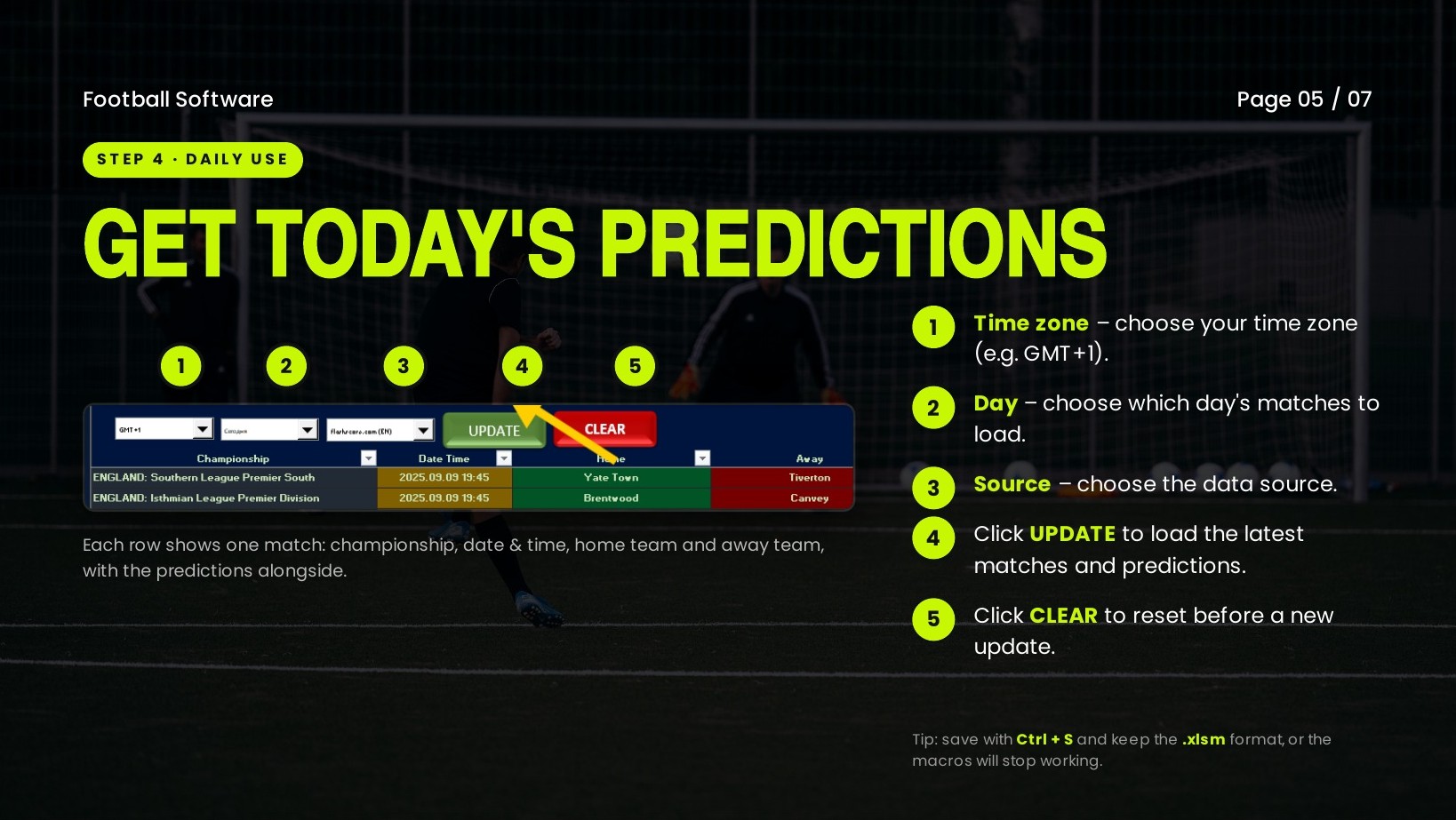
In the illustrated workbook, choose your time zone, match day and data source, then press UPDATE. Check the date and teams in the returned rows. CLEAR resets the view before a new update. Save with Ctrl+S and retain the .xlsm format.
View full-size image for Daily use (opens in a new tab)↗Get back on track
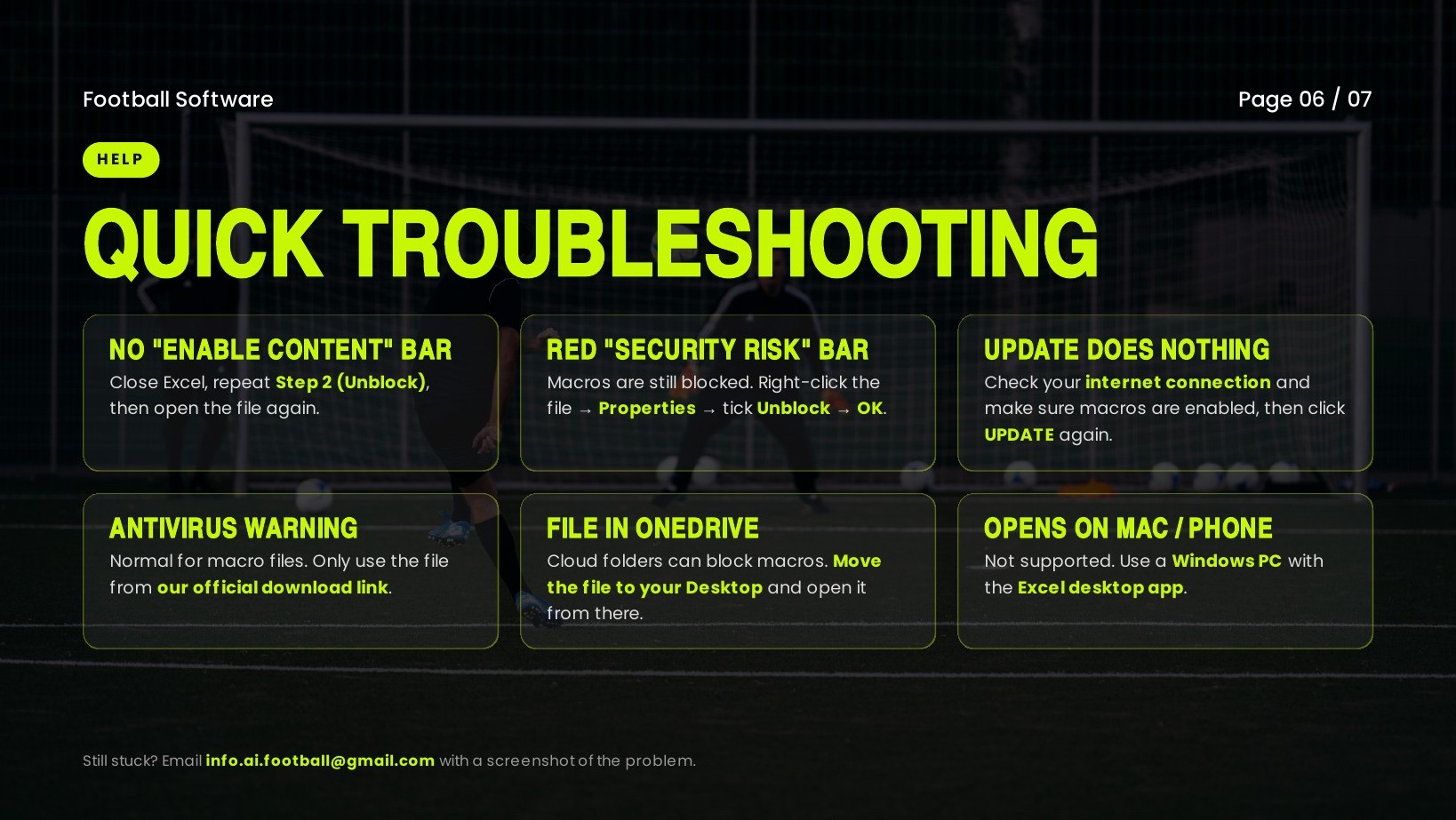
If UPDATE does nothing, check the internet connection and selected day, then contact support if the problem continues. If Excel blocks the workbook, check the file-specific steps above. A missing Enable Content bar can also mean content is already enabled.
Please note: Do not dismiss an antivirus warning or disable protection. Stop and contact support with the exact alert. Moving a file to Desktop is not enough if Desktop is synced to OneDrive.
View full-size image for Troubleshooting (opens in a new tab)↗We’re here to help

Send your product name, Windows and Excel versions, and a screenshot of the error to info.ai.football@gmail.com. Hide passwords, payment details and other private information before sharing a screenshot.
View full-size image for Support (opens in a new tab)↗Contact support →Watch along
Prefer a video walkthrough?
Football software tutorial
Can This AI Predict Football Scores? Watch Now
Follow us for free predictions
Daily free tips, results and updates — follow along on your favourite platform.
info.ai.football@gmail.com